 Alpcell Fusion Tools
Tools / Get it
Get Alpcell Fusion Tools
Alpcell Fusion Tools is an add-in for Autodesk Fusion, formerly Fusion 360. It is free: free to use, to change and to pass on, for hobby and for work, under the MIT licence. Download it ready to run, or build it yourself from the source code.
- Free, MIT licence
- Mac with Apple silicon
- Signed and notarized by Apple
- No account, no tracking
- Source code included
Download
The add-in and its source code will be on CodeBis, Alpcell's new home for open projects. It is not open yet: the links appear here as soon as it is.
-
The add-in
A zip with the
AlpcellFusionToolsfolder, ready to install. For Fusion on a Mac with Apple silicon. A Windows version is planned.Download Coming soon on CodeBis
-
The source code
The whole project in C++: every tool, its tests, the build scripts and these pages. Read it, change it, or build the add-in yourself.
Source code Coming soon on CodeBis
Install
- Unzip the download. You get a folder named
AlpcellFusionTools. - Move the folder into Fusion's add-in folder. In the Finder, choose Go → Go to Folder (Shift-Command-G), paste
~/Library/Application Support/Autodesk/Autodesk Fusion 360/API/AddInsand drop the folder there. - Turn it on in Fusion. Press Shift+S to open Scripts and Add-Ins and switch on Run next to AlpcellFusionTools. Run on Startup is already ticked, so it starts with Fusion from then on.
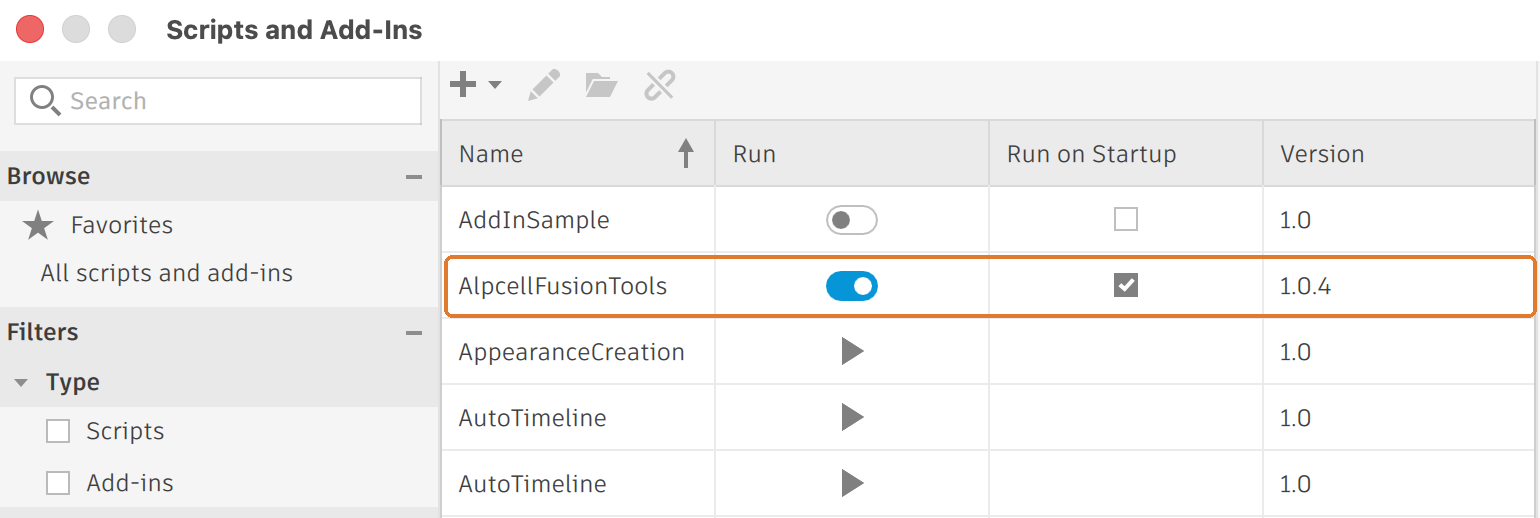
The first time the add-in loads, macOS checks Apple's notarization online, so be connected to the internet once. If Fusion was open while you copied the folder, it may not list the add-in until you restart Fusion.
You can also keep the folder somewhere else and add it with the + in Scripts and Add-Ins. Then leave it where it is: Fusion loads the add-in from that place every time.
Update or remove it
To update, switch off Run next to AlpcellFusionTools in Scripts and Add-Ins (or quit Fusion), replace the folder with the new one and switch it on again. To remove it, switch it off and delete the folder. The few values the add-in remembers are kept in a separate small file; the privacy page says where, if you want to delete that too.
Where to find the tools
After installing, every tool is in two places: in the Alpcell Fusion Tools panel on the SOLID tab, and at the end of the Fusion menu it belongs to.

-
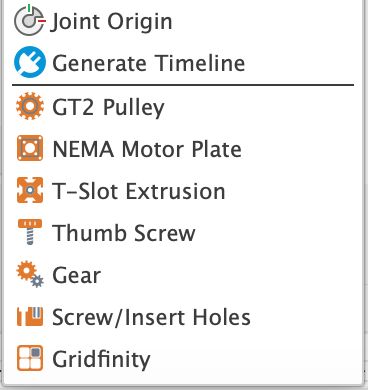
CREATE menu: the seven creation tools. -
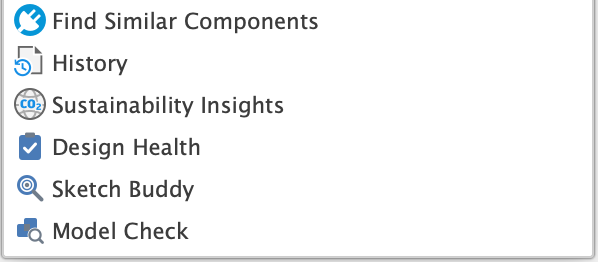
INSPECT menu: Design Health, Sketch Buddy and Model Check. -
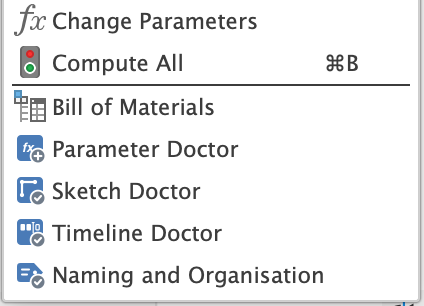
MODIFY menu: the four doctors that fix what the checks find.
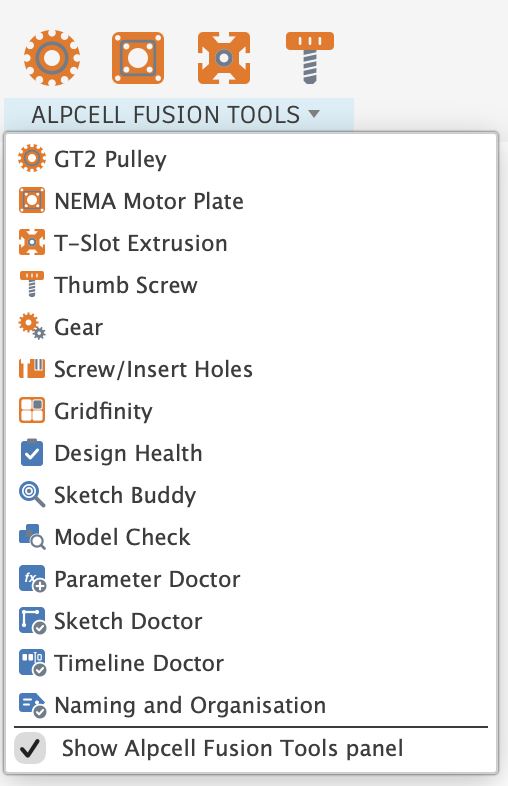
Click the panel's name, ALPCELL FUSION TOOLS, and its menu lists every tool by name. If you'd rather keep the toolbar as Fusion made it, untick Show Alpcell Fusion Tools panel at the bottom of the panel's menu, or under UTILITIES → ADD-INS. The tools stay in Fusion's own menus.
Build it yourself
You need a Mac with Fusion installed (it brings the C++ library the add-in is built against), Apple's command line tools (xcode-select --install) and CMake. In the source folder:
cmake -S . -B build
cmake --build build
ctest --test-dir build
The build installs the add-in into Fusion's add-in folder by itself; run it in Fusion as in step 3 above. The README in the source code explains the rest.
Licence
Alpcell Fusion Tools is published under the MIT licence. You may use, copy, change, share and sell it, in your own projects or at work, as long as you keep the copyright notice and the licence text with it. It comes without warranty of any kind.
The Alpcell name and logo are not part of the licence. Alpcell Fusion Tools is not made or endorsed by Autodesk. Autodesk and Fusion are trademarks of Autodesk, Inc.
Questions or ideas: contact Alpcell.